


Why WordPress Website Security Matters
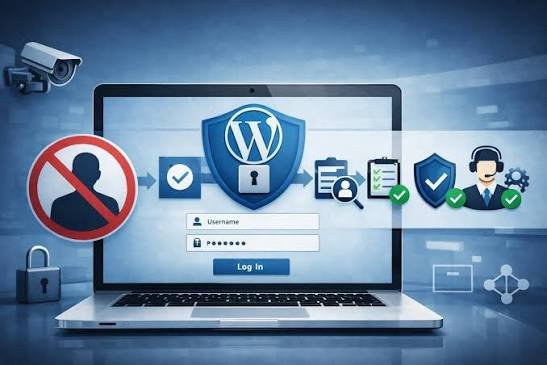
Your website is an important part of your business, so keeping it secure should be a regular priority. A website can contain important business information, customer details, login accounts, forms, and other data that should be protected.
WordPress is a widely used platform, which makes it important to keep the WordPress software, themes, and plugins properly maintained. Outdated or poorly configured website components can create security problems and may make a website more vulnerable.
Good website security is not about doing one thing once. It is about using the right security practices and regularly checking the website.
What Can Put a WordPress Website at Risk?
A WordPress website can face different security risks. Using outdated plugins or themes, weak passwords, unnecessary plugins, or poor security settings can increase the chances of problems.
Website owners may also face issues when they do not have a recent backup. If something goes wrong, a reliable backup can provide a way to restore the website and reduce the risk of losing important data.
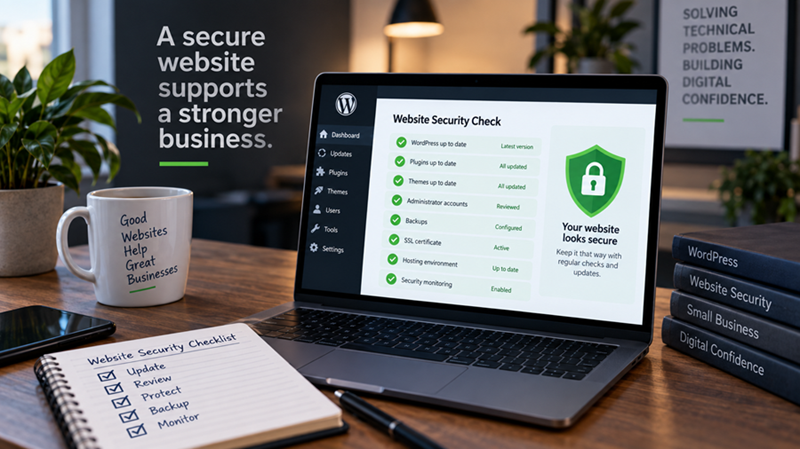
Regular updates, strong login security, trusted plugins, and reliable backups are some of the basic steps that can help protect a WordPress website. It is also important to remove plugins and themes that are no longer needed.
“Website security is easier to manage when protection and backups are part of your regular website maintenance.”

MF Digitals /Author
Why Website Backups Are Important
Even a secure website can sometimes experience unexpected problems. A plugin update may cause an error, a website may be affected by a technical issue, or important files may accidentally be changed or deleted.
A recent backup gives you a copy of your website that can be used if you need to restore it. This can be especially important for business websites and online stores where losing website data can cause unnecessary disruption.
For this reason, backups should not be treated as an optional extra. They are an important part of managing a WordPress website.
Keeping your WordPress website secure requires regular attention. Updates, strong security practices, reliable backups, and regular checks can help reduce common website risks.
If you are not sure whether your WordPress website is properly protected or backed up, reviewing your current setup is a good place to start.
Popular News
19 September, 2026
How Much Should a WordPress Website Cost?
19 September, 2026
Why Every Business Needs a Professional Website